IPSec Local ↔ Remote Traffic Rules
Navigation: Scenarios → IPSec Local ↔ Remote Rules
When local and remote subnets are the same (192.168.1.0/24), you need two inline rules after the IPSec tunnel is up with Install Policy enabled:
| Direction | Source interface | Destination interface | Source address | Destination address |
|---|---|---|---|---|
| Local → Remote | LAN | VPN tunnel (tun_ipsec_*) |
Real local subnet | Remote subnet (Phase 2) |
| Remote → Local | WAN (IPSec endpoint) | LAN | Remote subnet (restricted) | Real local subnet |
Tunnel setup (Phase 2, Install Policy, X-Pool) is covered in IPSec Overlapping Subnets. This guide focuses on both firewall rules with example IP addresses.
Example network
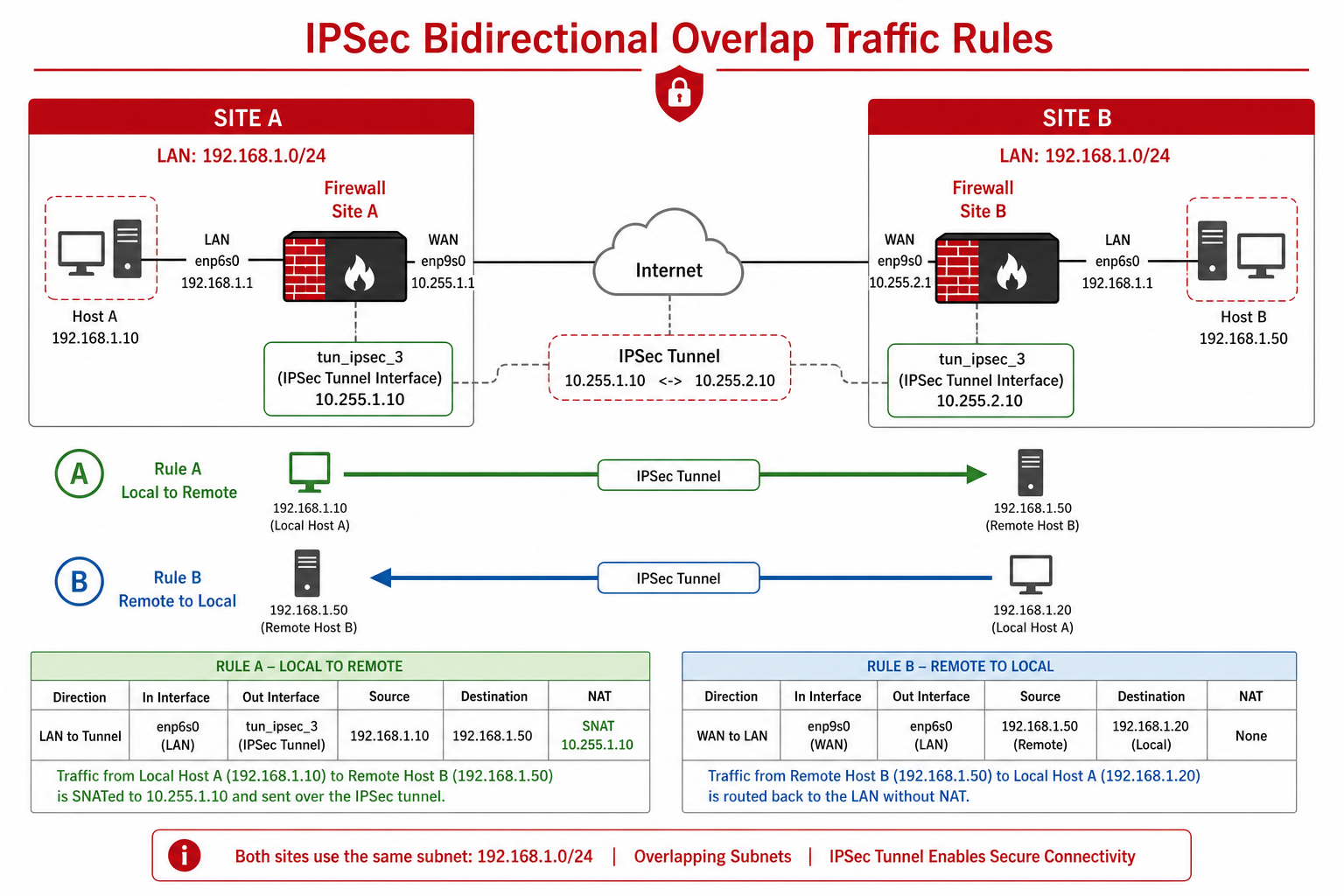
Figure 1 — Rule A: LAN → VPN. Rule B: WAN → LAN
Site A — this firewall (HQ)
| Item | Value |
|---|---|
| LAN interface | enp6s0 — 192.168.1.1/24 |
| WAN interface (IPSec) | enp9s0 — 203.0.113.10 |
| VPN tunnel interface | tun_ipsec_3 (Branch_Overlap_VPN) |
| Local PC | 192.168.1.10 |
| Local server | 192.168.1.20 |
| X-Pool SNAT range | 10.255.1.0/24 |
Site B — remote branch
| Item | Value |
|---|---|
| LAN subnet | 192.168.1.0/24 (same as Site A) |
| WAN / peer IP | 203.0.113.20 |
| Remote PC | 192.168.1.50 |
IPSec Phase 2 (both sites)
| Selector | Address object | CIDR |
|---|---|---|
| Local Networks | Local_LAN |
192.168.1.0/24 |
| Remote Networks | Remote_LAN |
192.168.1.0/24 |
Phase 2 local and remote must be identical CIDR (192.168.1.0/24).
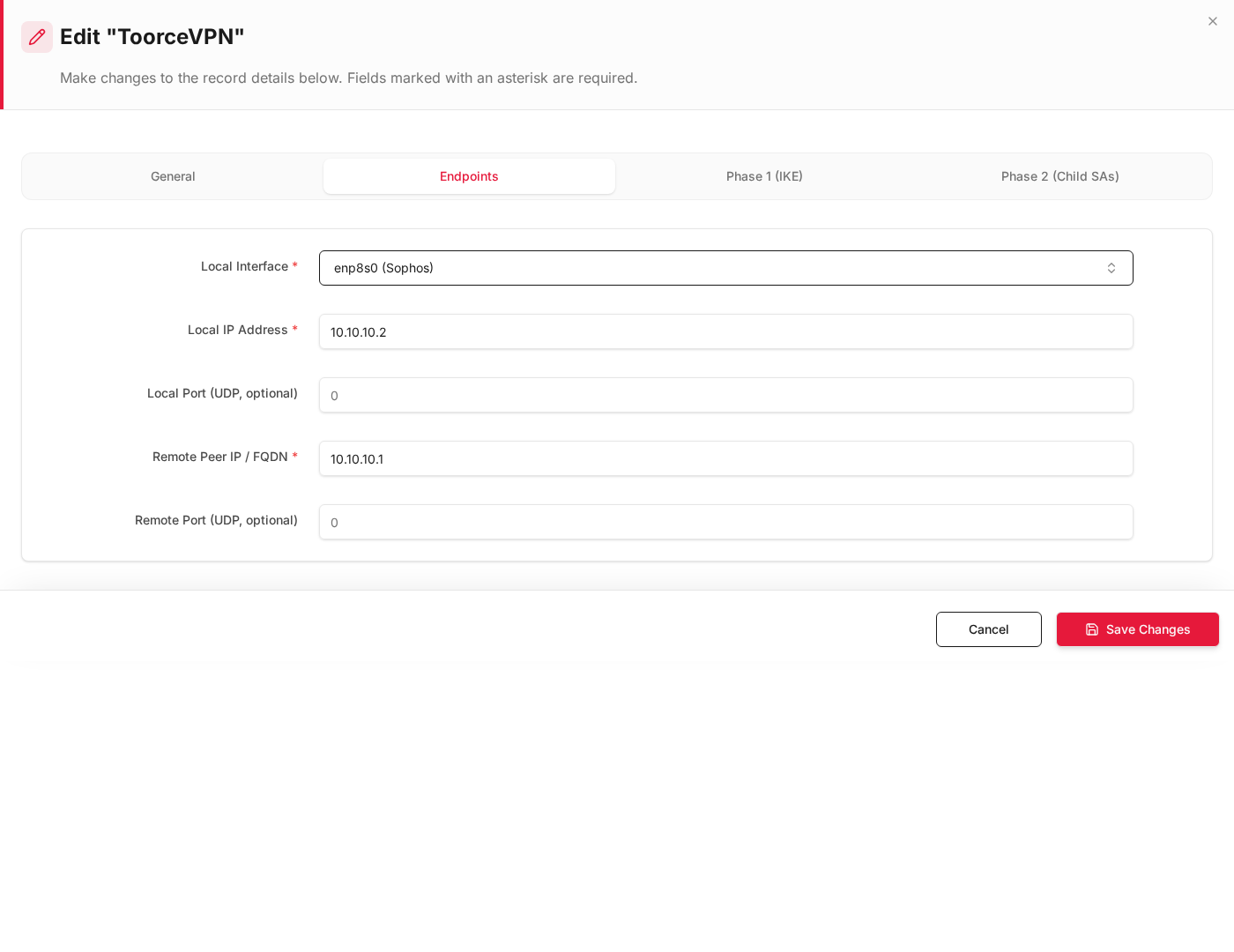
Use the same WAN interface on the inbound rule as Local Interface on the IPSec Endpoints tab (enp9s0 in the example above; your deployment may use enp8s0 or another WAN ifname).
Step 1 — Address objects (example IPs)
Aliases & Objects → Address:
| Object | Type | Value | Example host |
|---|---|---|---|
Local_LAN |
Network | 192.168.1.0/24 |
192.168.1.10, 192.168.1.20 |
Remote_LAN |
Network | 192.168.1.0/24 |
192.168.1.50 |
Local_Server |
Host | 192.168.1.20/32 |
Optional — restrict inbound to one server |
Remote_PC |
Host | 192.168.1.50/32 |
Optional — restrict inbound source |
XPool_SNAT |
Network | 10.255.1.0/24 |
SNAT pool for outbound |
Rule A — Allow traffic local → remote
Traffic from a LAN host to a remote host crosses the VPN. Destination Interface must be the VPN tunnel name.
General
| Field | Example |
|---|---|
| Rule Name | Allow_Local_to_Remote |
| Action | Allow |
| Status | Enabled |
Interfaces
| Field | Example |
|---|---|
| Source Interface * | enp6s0 (LAN) |
| Destination Interface * | tun_ipsec_3 (tun_ipsec_3(Branch_Overlap_VPN)) |
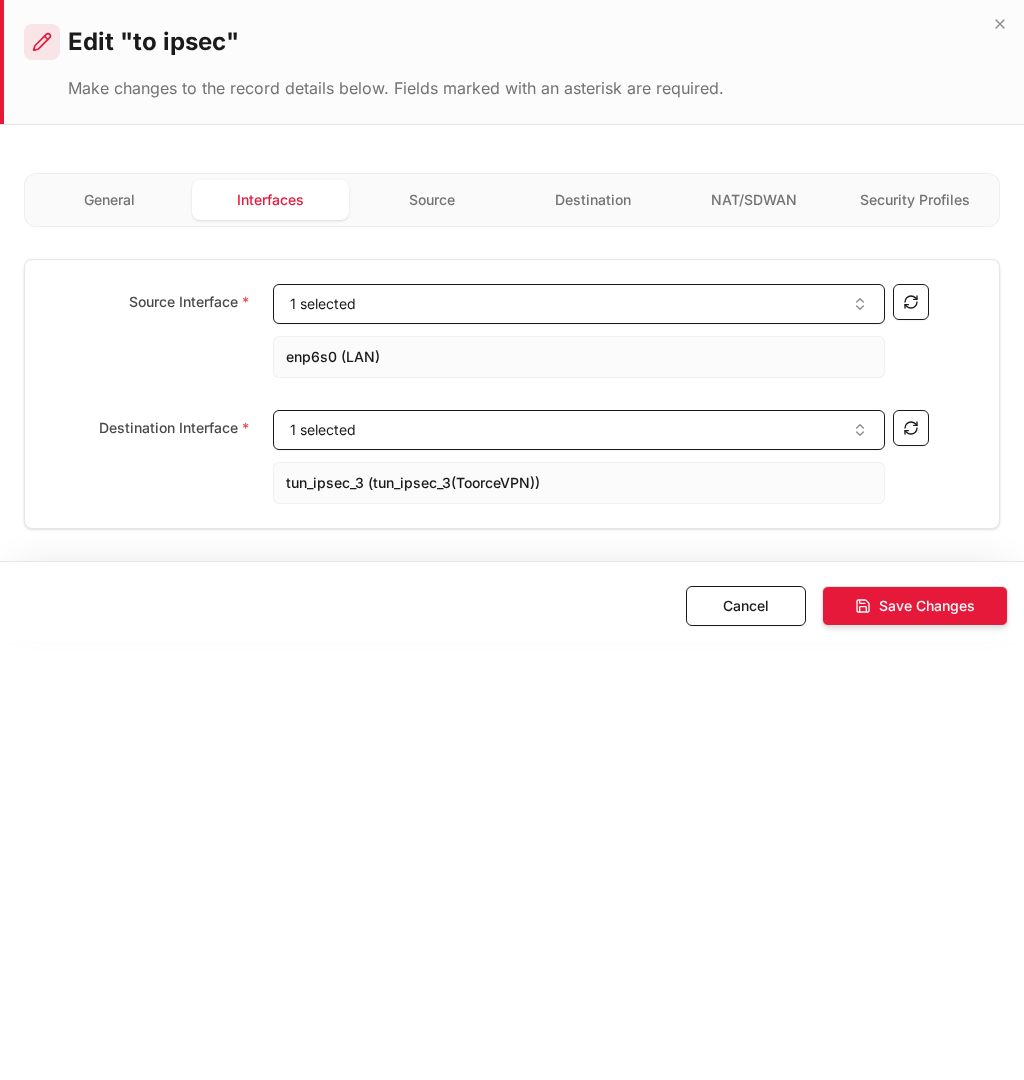
Source
| Field | Example | Matches Phase 2 |
|---|---|---|
| Source Address Objects * | Local_LAN (192.168.1.0/24) |
Local Networks |
| Service | Any |
— |
Example packet: 192.168.1.10 → 192.168.1.50
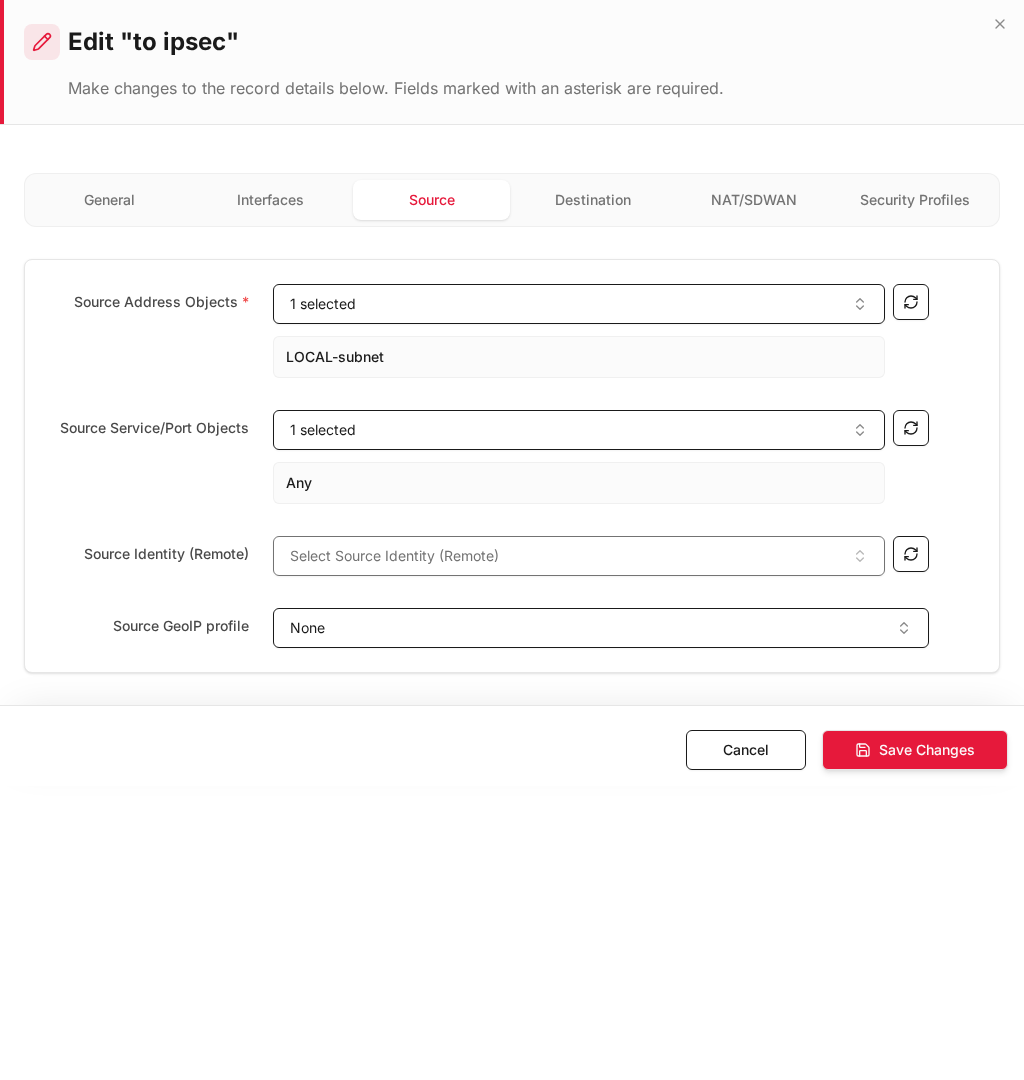
Destination
| Field | Example | Matches Phase 2 |
|---|---|---|
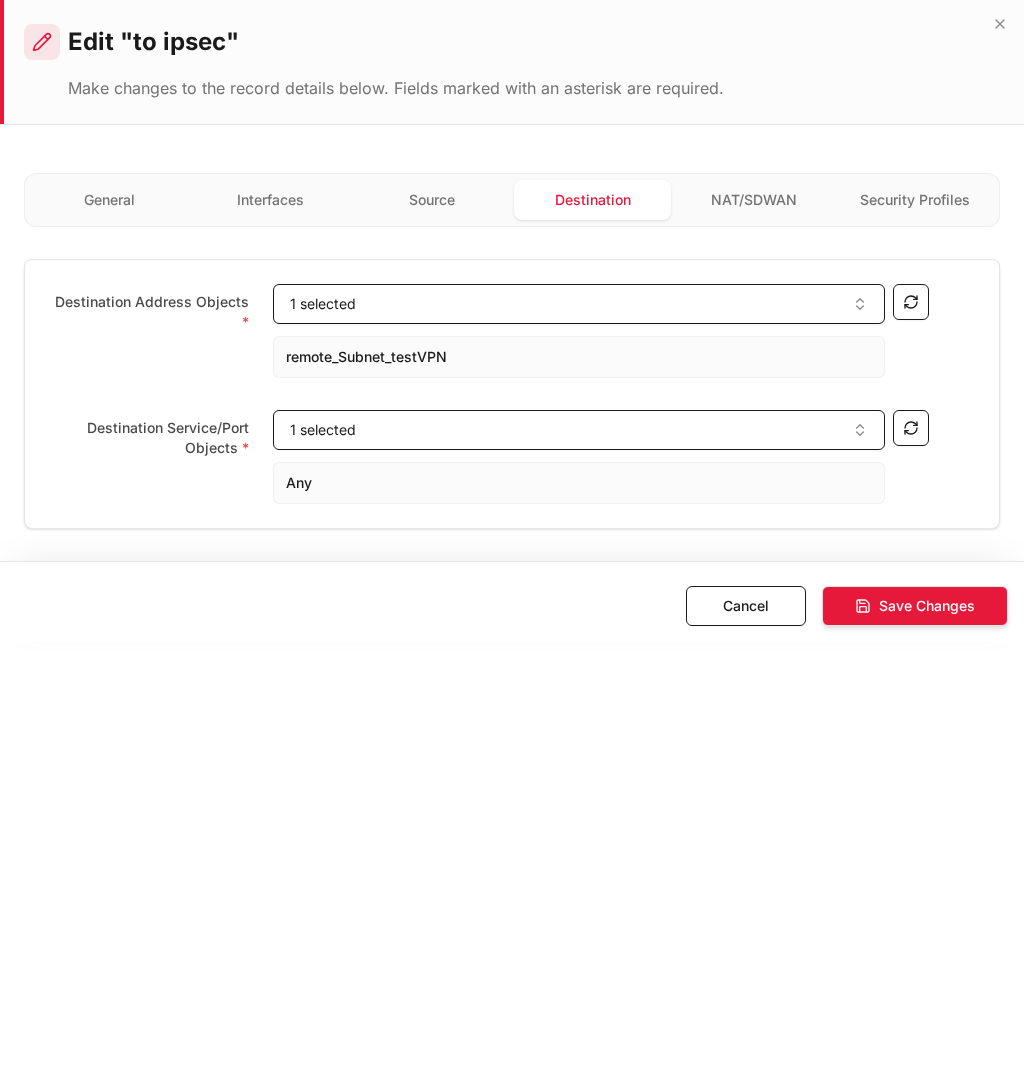
| Destination Address Objects * | Remote_LAN (192.168.1.0/24) |
Remote Networks |
| Service | Any |
— |
NAT/SDWAN
| Field | Example |
|---|---|
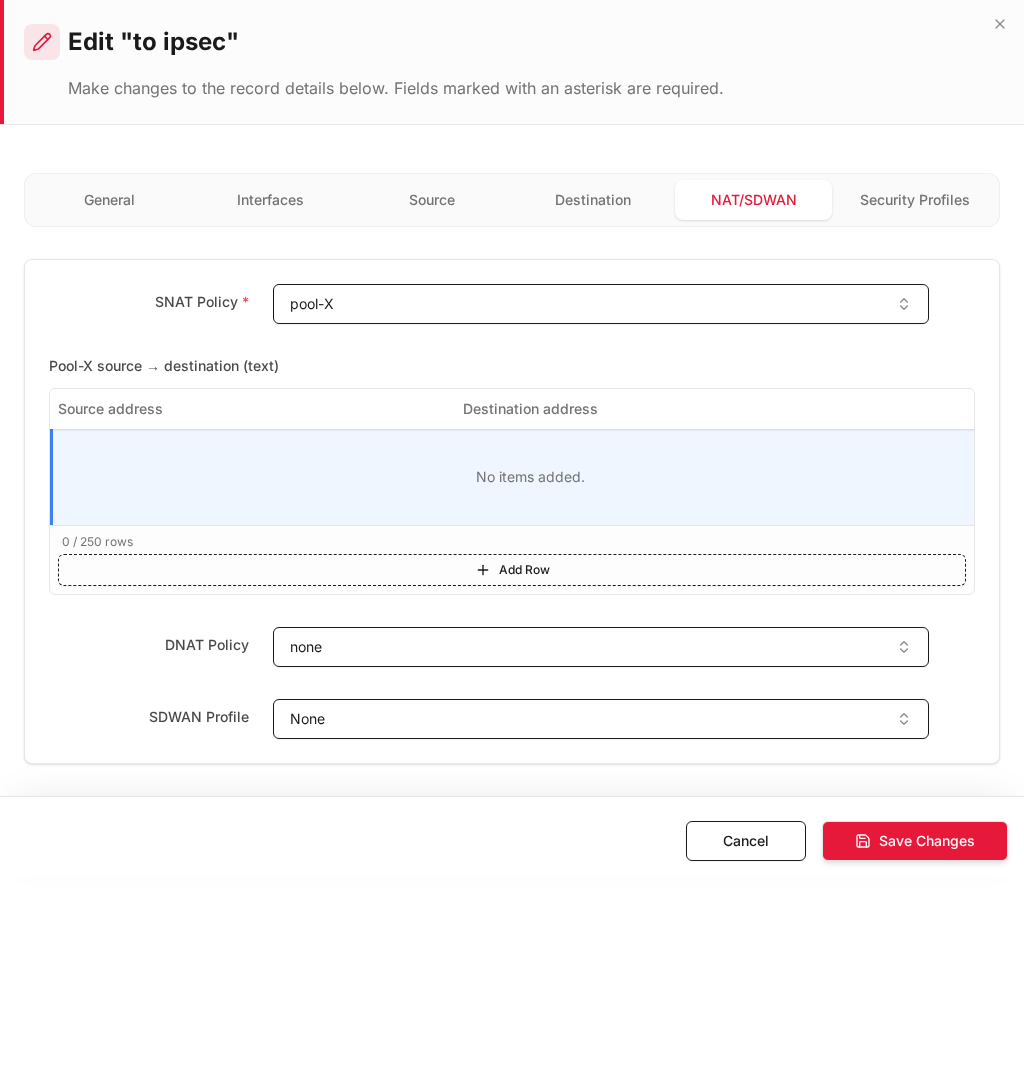
| SNAT Policy * | pool-X — X-Pool; 192.168.1.10 sent as 10.255.1.10 |
Expected result (Rule A)
| From | To | Seen by remote as |
|---|---|---|
192.168.1.10 |
192.168.1.50 |
Source 10.255.1.10, dest 192.168.1.50 |
Rule B — Allow traffic remote → local
Traffic decrypted from the VPN arrives on the WAN interface that carries IPSec. Restrict source to the remote subnet and destination to the local subnet.
General
| Field | Example |
|---|---|
| Rule Name | Allow_Remote_to_Local |
| Action | Allow |
| Status | Enabled |
| Priority | Above deny rules |
Interfaces
| Field | Example | Notes |
|---|---|---|
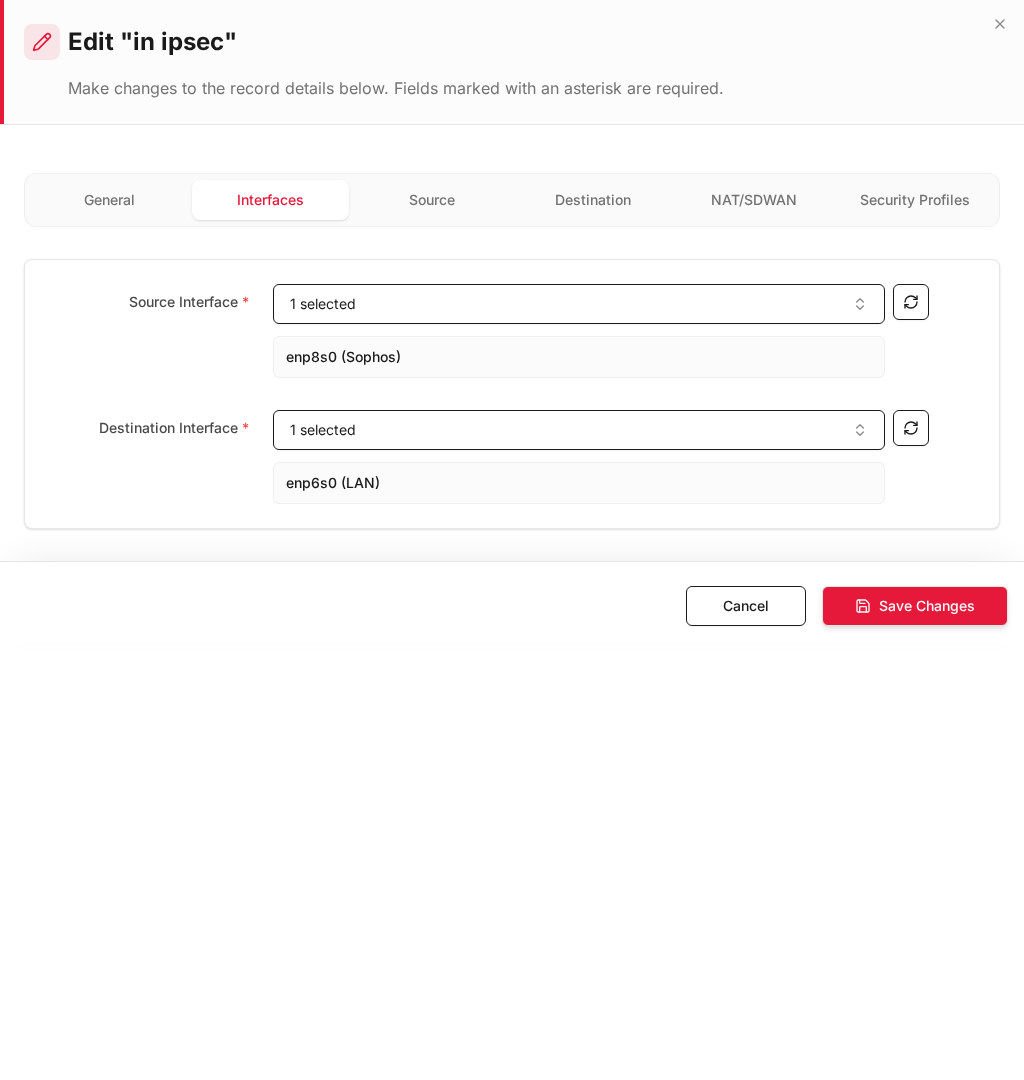
| Source Interface * | enp9s0 (WAN) |
Real WAN from IPSec Endpoints → Local Interface |
| Destination Interface * | enp6s0 (LAN) |
Local LAN |
Do not use
tun_ipsec_*as source interface for remote → local. Use the physical/logical WAN that establishes the VPN (same as IPSec Endpoints tab).
Source
| Field | Example | Notes |
|---|---|---|
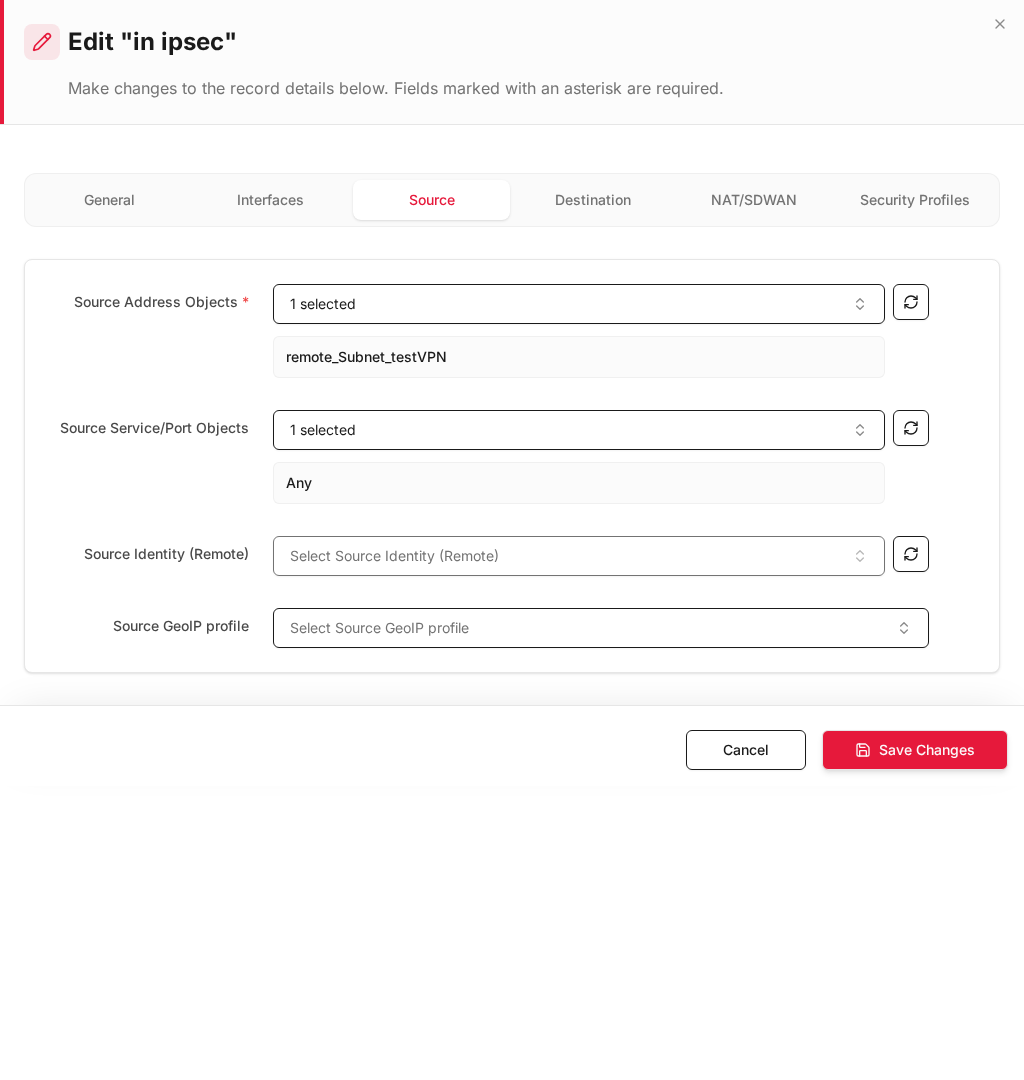
| Source Address Objects * | Remote_LAN (192.168.1.0/24) |
Restrict to remote subnet (Phase 2 remote) |
| Service | Any |
Or HTTPS, RDP, etc. |
Optional tighter restriction:
| Field | Example |
|---|---|
| Source Address Objects | Remote_PC (192.168.1.50/32) only |
Example packet: 192.168.1.50 → 192.168.1.20
Destination
| Field | Example | Notes |
|---|---|---|
| Destination Address Objects * | Local_LAN (192.168.1.0/24) |
Local hosts — not Any |
| Service | Any |
Or specific ports |
Optional — single server only:
| Field | Example |
|---|---|
| Destination Address Objects | Local_Server (192.168.1.20/32) |
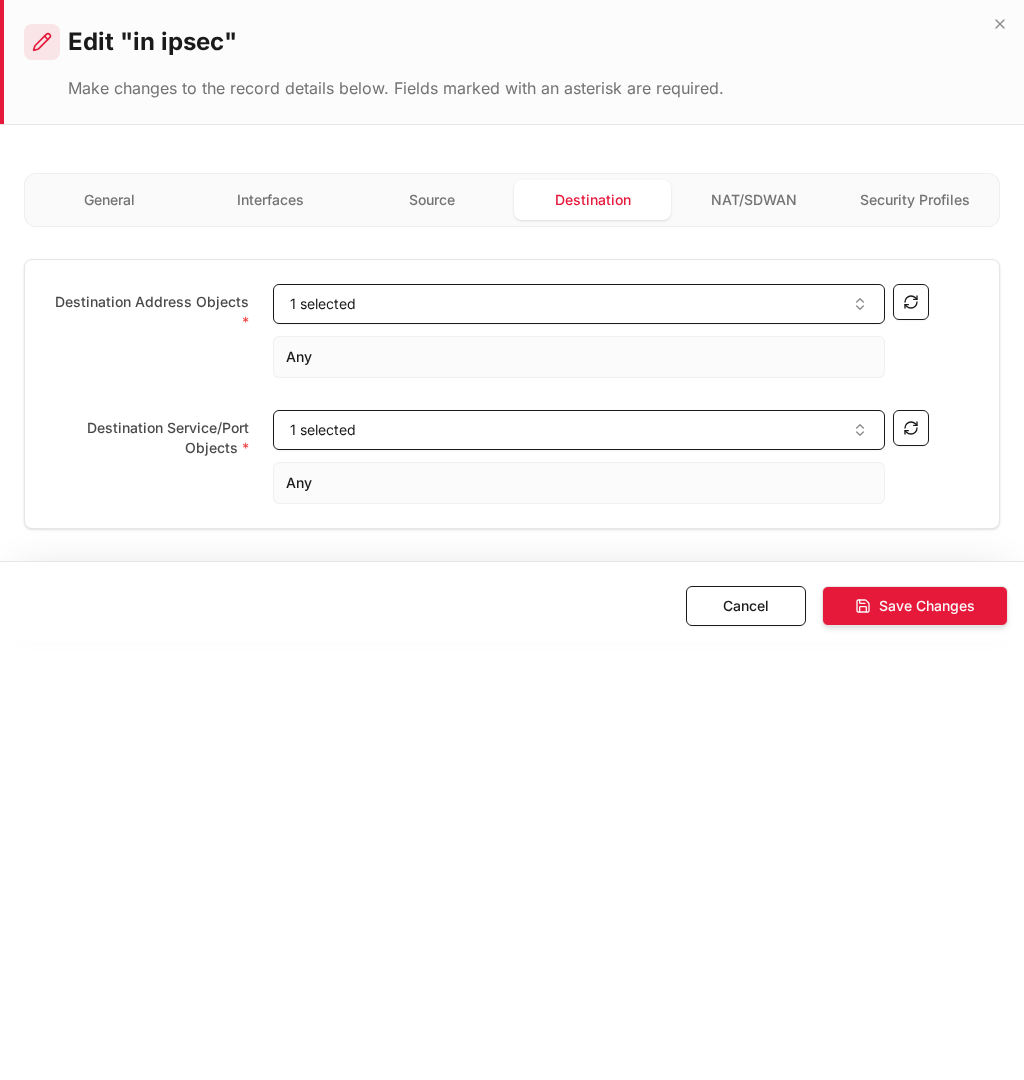
Edit the auto-created
in ipsecrule from Install Policy: change Destination Address fromAnytoLocal_LAN(orLocal_Server).
NAT/SDWAN
| Field | Example |
|---|---|
| SNAT Policy | Non /Route |
| DNAT Policy | none |
Use X-Pool DNAT only if remote dials a virtual pool IP (for example 10.255.2.20 → 192.168.1.20).
Expected result (Rule B)
| From (remote) | To (local) | Path |
|---|---|---|
192.168.1.50 |
192.168.1.20 |
WAN enp9s0 → LAN enp6s0 |
Side-by-side rule summary
| Rule A — Local → Remote | Rule B — Remote → Local | |
|---|---|---|
| Rule name | Allow_Local_to_Remote |
Allow_Remote_to_Local |
| Source interface | enp6s0 (LAN) |
enp9s0 (WAN) |
| Destination interface | tun_ipsec_3 (VPN) |
enp6s0 (LAN) |
| Source address | Local_LAN 192.168.1.0/24 |
Remote_LAN 192.168.1.0/24 |
| Destination address | Remote_LAN 192.168.1.0/24 |
Local_LAN 192.168.1.0/24 |
| SNAT | pool-X (X-Pool) |
Non /Route |
| Example flow | 192.168.1.10 → 192.168.1.50 |
192.168.1.50 → 192.168.1.20 |
| Phase 2 match | Local → Remote selectors | Remote → Local selectors |
Step 3 — Install Policy and verify
- Click Install Policy (top bar).
- Confirm IPSec tunnel is up.
| Test | Command / action | Expected |
|---|---|---|
| Local → remote | Ping from 192.168.1.10 to 192.168.1.50 |
Success; remote sees source 10.255.1.10 |
| Remote → local | Ping from 192.168.1.50 to 192.168.1.20 |
Success via Rule B |
| Wrong inbound dest | Remote to 192.168.1.99 if not in Local_LAN object |
Blocked when using host-specific object |
| Logs | Firewall Security | Rules Allow_Local_to_Remote / Allow_Remote_to_Local |
Recommended rule order
| Priority | Rule |
|---|---|
| 1 | Allow_Remote_to_Local |
| 2 | Allow_Local_to_Remote |
| 3 | Deny un-NATed overlap traffic |
Troubleshooting
| Symptom | Check |
|---|---|
| Local → remote fails | Destination Interface = tun_ipsec_*? SNAT = pool-X? |
| Remote → local fails | Source Interface = WAN (Endpoints tab), not VPN ifname |
| Remote reaches wrong host | Destination = Local_LAN, not Any |
| Source not restricted | Source = Remote_LAN, not Any |
| Phase 2 mismatch | Rule addresses must match Phase 2 Local / Remote CIDR |
Related documentation
- IPSec Overlapping Subnets — tunnel, Install Policy, Phase 2, X-Pool setup
- X-Pool Overlapping NAT — inbound DNAT with virtual pool
- IPSec VPN
- Inline Rules