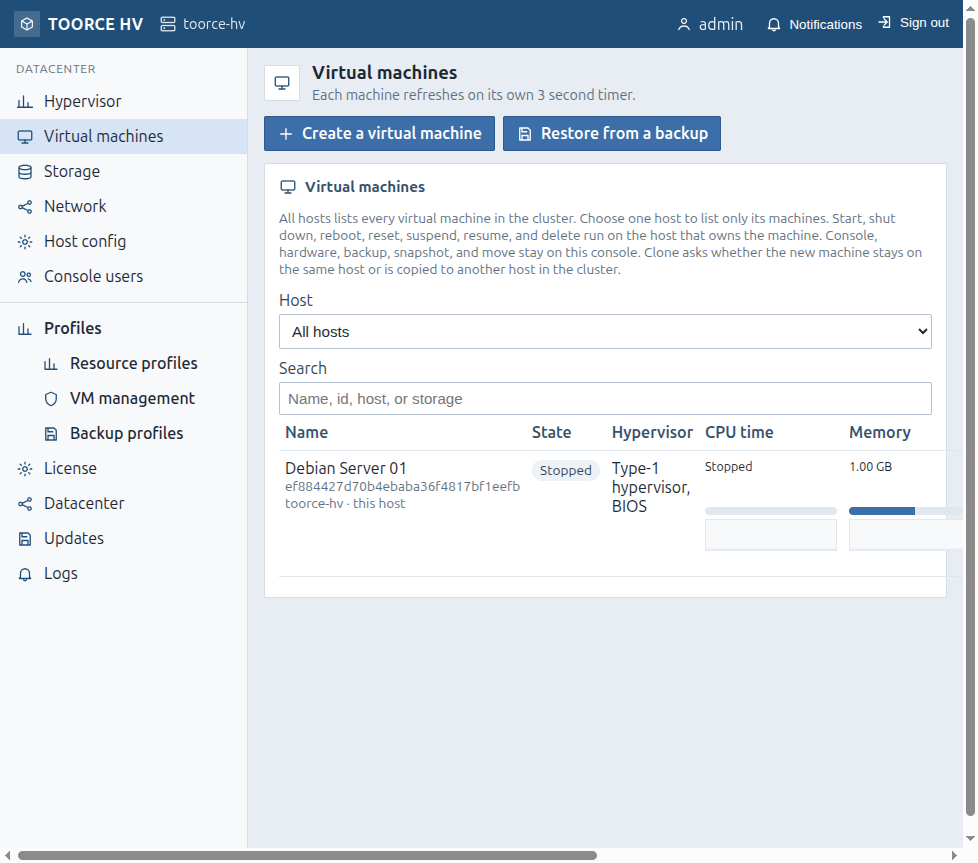
Name · State · Hypervisor · CPU time · Memory · Disk · Network · Events · Commands
Commands menu (per VM)
Command
Path / effect
Confirm / note
Console
Guest display (noVNC) when running
—
Hardware
/vms/edit?name=
Edit CPU, memory, disks, NICs
Clone
/vms/clone?name=
Copy disks; clone stays off
Backup
/vms/backup?name=
Copy to a datastore
Snapshot
/vms/snapshot?name=
Point-in-time copy
Move
/vms/move?name=
Live disk move to another datastore/folder
Shut down
ACPI power button to guest
Guest may refuse if stuck
Suspend
Save memory and stop
—
Reboot
Guest restart
Unsaved work can be lost
Reset
Force stop, wait, start
Hard reset
Force stop
Cut power immediately
Unsaved work lost
Resume / Start
Power on
Suspend image may be discarded
Delete
Remove VM and disks
Cannot be undone
On a cluster, power actions run on the owning host. Console, Hardware, Backup, Snapshot, and Move stay on this console. Clone can target another host when offered.
F.2 Create a virtual machine — /vms/new
Lead:The id is assigned when the machine is created.
Top fields
Field
Type
Meaning
Name
text (max 64)
Display name; id is assigned automatically
Cluster / Host
select
Which host creates the VM. Auto = host with most free CPU and memory. Storage list then shows only stores that host can use
Buttons
Button
Result
Create on the selected host
Writes config and disks; VM stays off
Create and start
Same, then starts. If the host cannot run HVM, config stays and VM stays off
Close
Warns that closing discards unsaved configuration
Use the section nav: Guest · Processor · Memory · Firmware and boot · Video and audio · Storage · ISO · Network · Devices · Save / Close.
F.3 Hardware fields (create and edit)
Edit path: /vms/edit?name=. Many fields apply on next boot; firmware/Secure Boot/TPM require the VM shut down first.
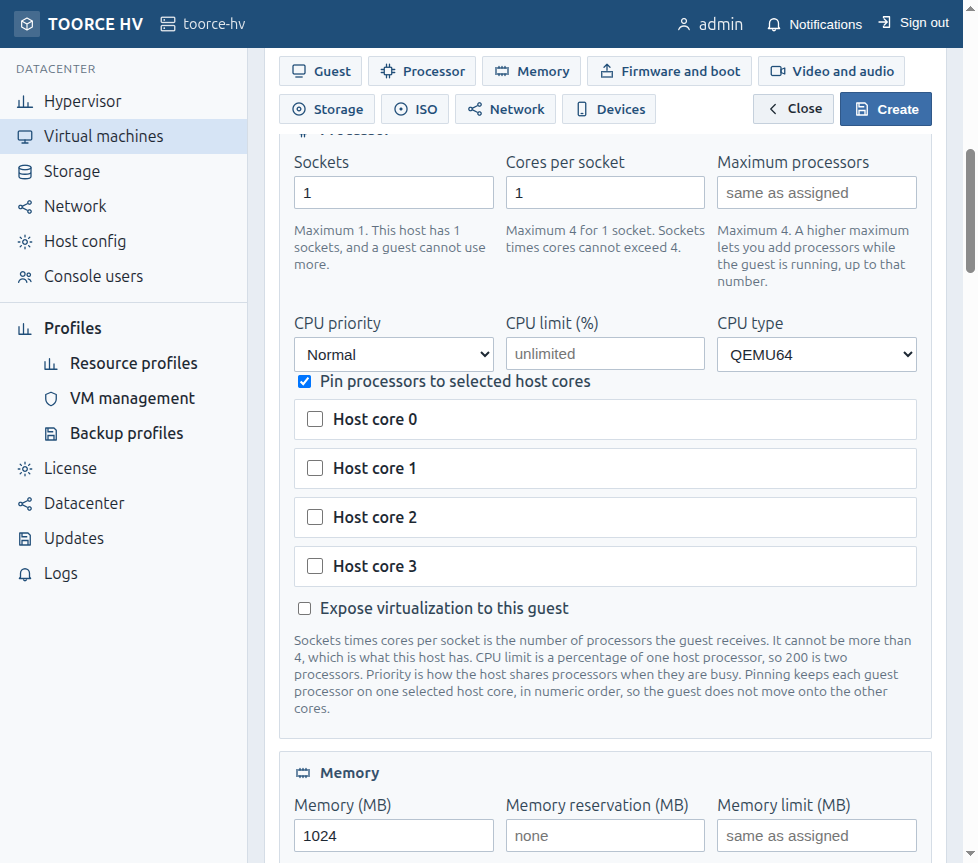
Cap as % of one host CPU (200 = two CPUs); empty = unlimited
CPU type
QEMU64 / Host
Emulated vs host CPU features
Pin processors to selected host cores
checkbox
Enables the host-core checklist
Host core N
checkboxes
Physical/logical cores this guest may use
Expose virtualization to this guest
checkbox
Nested virtualization
Pinning: each guest vCPU stays on one selected host core in numeric order and does not float onto other cores. Use this when you need a fixed core set (for example Oracle Processor licensing). Validate licensing with your advisor; the product provides the isolation control.
Memory
Field
Meaning
Memory (MB)
Assigned RAM (≥ 256, step 128)
Memory reservation (MB)
Floor reserved on the host
Memory limit (MB)
Hot-add ceiling; empty = same as assigned
Neither reservation nor limit may exceed free host memory.
Firmware and boot
Field
Options
Meaning
Machine
i440fx · q35
Chipset
Firmware
SeaBIOS · OVMF (UEFI) · TOORCE UEFI
Boot firmware
Serial port
None · Serial port
Guest serial
Secure Boot
checkbox
TOORCE UEFI; Microsoft keys
TPM 2.0
checkbox
If Permital Hypervisor QEMU supports TPM on this build
Boot order First / Second / Third
Disk · CD-ROM · Network (PXE) · Not used
Boot sequence
Start this virtual machine when the host boots
checkbox
Autostart
Start delay (seconds)
0–3600
Delay after host boot
Start sequence
1–999
Order among autostart VMs
OVMF adds a small EFI hard disk with boot files. TOORCE UEFI boots without that extra EFI disk. Change firmware, Secure Boot, or TPM only when the VM is off.
Video and audio
Field
Options
Video
Cirrus · Standard VGA · QXL
Video memory
16–256 MB
Audio
None · Intel HDA · AC97
Storage / disks / Toorce Virtual Disk
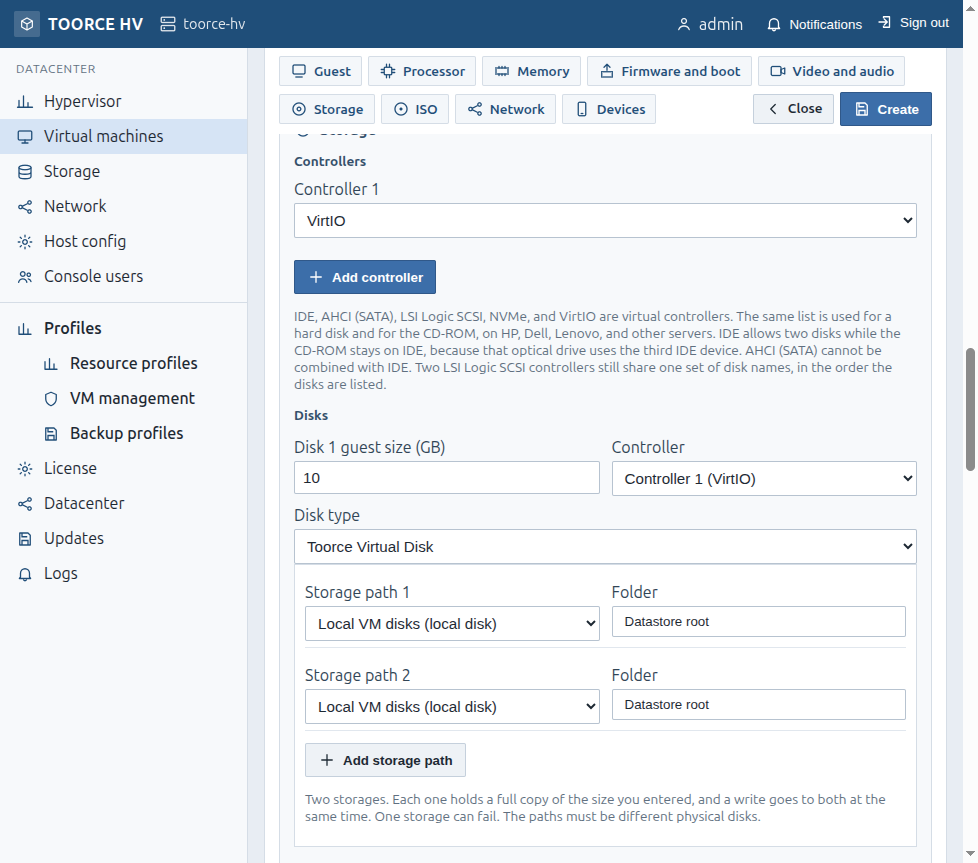
Figure F.3 — Disk type including Toorce Virtual Disk
Control
Meaning
Add controller
VirtIO, IDE, AHCI (SATA), LSI Logic SCSI, NVMe, …
Disk N (GB)
Virtual size
Controller
Which bus the disk attaches to
Disk type
Normal disk or Toorce Virtual Disk
Datastore
Where the image is written (must be mounted)
Folder
Optional folder; empty = datastore root
Provisioning
Thin or Thick (info button on form)
Speed limit (MB/s)
For IDE, AHCI, LSI SCSI, NVMe — not VirtIO
Template
Optional template for the first disk
Up to 16 disks
Per VM
Toorce Virtual Disk (TVD)
Control
Meaning
Add storage path
Another physical path (2–8 paths; different physical disks)
Path datastore / folder
Location of each leg
If a storage fails
Survive one storage · Survive two storages (needs enough paths)
Paths
Behavior
2
Mirrored sync (full copy on each)
3+
Synced; survive one failed storage
4+ with “survive two”
Survive two failed storages (less guest capacity)
The guest sees one disk. SMB shares are for files, not TVD/guest disks.
ISO / CD-ROM
Field
Meaning
ISO datastore
Where ISOs live
Folder
Optional
Search
Filter ISO names
CD-ROM ISO
Image to attach
CD-ROM controller
Bus for the CD
Network (per NIC)
Field
Meaning
Network N
Bridge
NIC model
VirtIO · E1000E · E1000 · RTL8139
VLAN ID
Optional tag
Link
Connected / Disconnected
Hardware address
Automatic / Custom MAC
MTU
Frame size
Bandwidth limit (MB/s)
Optional cap
Devices
Field
Meaning
PCI devices
Passthrough checklist (needs IOMMU; caution)
USB tablet
Pointer tablet for console
USB host devices
Passthrough list
Save actions (edit)
Button
Meaning
Save
Apply configuration
Close
Leave the form
Suspend / Reboot / Shut down
When the VM is running (as offered)
Some changes show “later” / need restart. CPU pinning changes may require restart depending on state.