Head
The orchestrator. It floods discovery, keeps the topology, holds the profiles, and pushes routes, routing rules, and the secure-tunnel settings to each leg that has a profile.
Security topology · 05
Access and security only matter if the path stays up. A head orchestrates the overlay. Each leg receives that config and puts it into effect. Multi-WAN watches the links under the overlay and takes a dead one out of the choice.
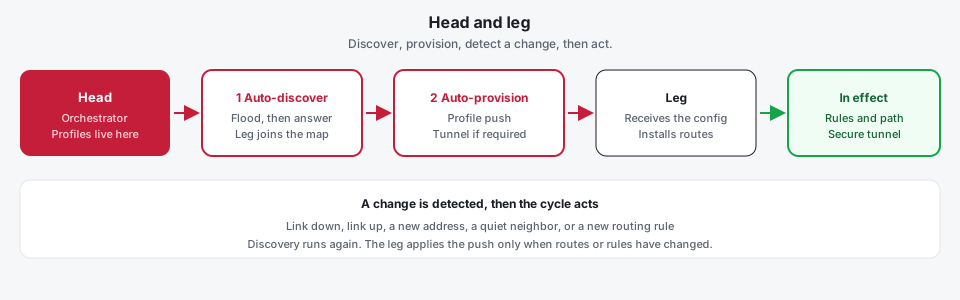
Head and leg
One appliance is the head, the orchestrator. Every other site is a leg, the endpoint. The head does not ask an operator to type each serial and each route by hand. It finds the legs, pushes one profile, and the leg installs what it received.
The orchestrator. It floods discovery, keeps the topology, holds the profiles, and pushes routes, routing rules, and the secure-tunnel settings to each leg that has a profile.
The endpoint. It answers discovery, adds itself to the path, and implements the push: overlay routes, policy rules, and the TOORCE Secure Tunnel when the profile says to provision it.
The head floods discovery. A leg answers, is recorded, and is allowed into the overlay. With discovery off, the leg uses a pinned head instead of the flood.
A leg with an active profile receives that profile. The secure tunnel can be provisioned from the same push. A leg with no profile stays in the topology and gets no routes.
A link down, a link up, an address change, a neighbor that goes quiet, or a new routing rule is noticed. The old topology link is marked down.
Discovery runs again. The head pushes the current profile. The leg installs routes and rules only when they differ from what is already in effect.
Logical topology
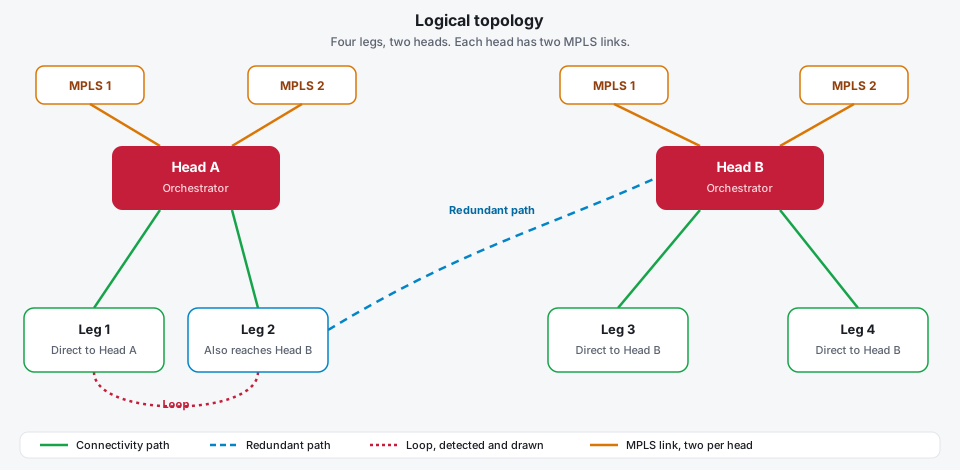
Discovery builds a logical map, and that map is drawn. Each line is a connectivity path between a head and a leg. A second way to the same site is drawn as its own line, so the redundant path stays visible. When the links return to a node already on the path, that ring is a loop: it is detected and drawn, and an attachment that would send traffic around it is refused.
A direct one-hop path from a leg to a head is drawn as a solid line. A path that reaches the head through another site is drawn dashed.
A second link to the same site, such as the other MPLS connection on a head, or a path through the second head. It is drawn beside the first, in its own color.
The links come back to a node already on the path. The ring is drawn on the map. Saving an overlay hop that would close that loop is refused, so traffic is not sent around it.
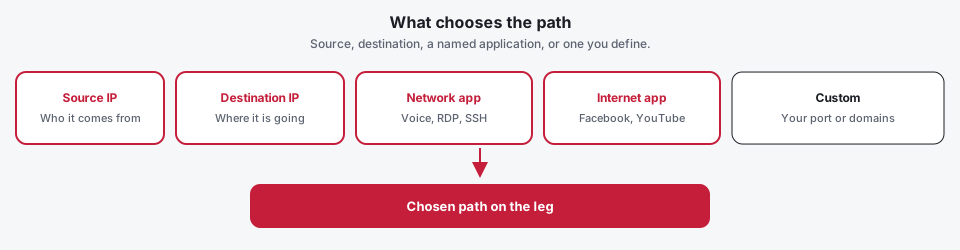
A route is not only a destination network. The profile the head pushes can send traffic by the source address, the destination address, a network application, an internet application, or an application you define.
Match the source address, the destination address, or both. A protocol and a port can narrow the same rule, so one subnet can take a different path from the rest of the site.
Voice (SIP and RTP), RDP, SSH, DNS, and the other named network applications match by protocol and port. Each one can prefer its own path.
Facebook, YouTube, Google, Microsoft 365, and the other named sites match by their domain names. That traffic can leave on a different link from the rest of the internet.
A custom network application is an address and a port you set. A custom internet application is the domain list you set. Neither has to be in the built-in catalog.
Over the internet
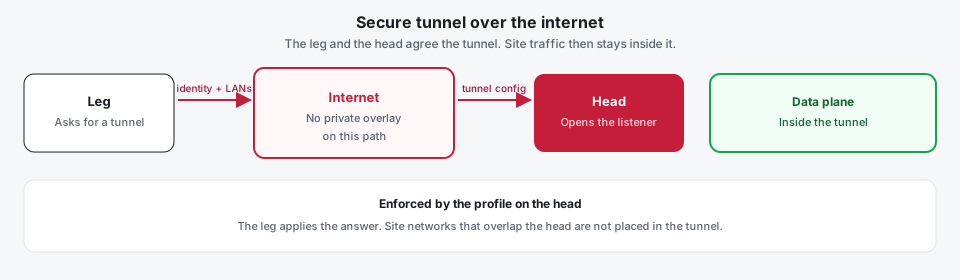
When the path between a leg and the head is the internet, the two appliances agree a tunnel before user traffic crosses it. The profile on the head is what turns that requirement on. A private overlay path does not need the same tunnel unless the profile enforces it there too.
Discovery has a direct path to the head, with no private overlay neighbor on that link.
The leg sends its identity and the local networks that must be reached. It tries each head it can already reach.
If the profile enforces the tunnel, the head builds it for that leg and opens the listener on the interface the request arrived on. Named listeners are used when the profile sets them.
The leg brings the tunnel up. Site networks travel inside it. Prefixes that overlap the head are left out. The leg reports when the tunnel is up or down.
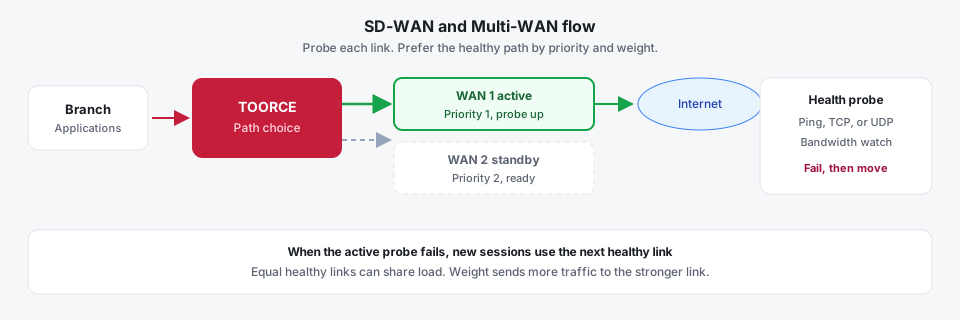
The head, the legs, and the paths between them are the overlay. The profile on the head chooses the path: appended static routes, or an automatic choice of the shortest or lowest-latency path that discovery found. Multi-WAN is the health of the underlay. Each link can be probed with ping, TCP, or UDP, and watched for bandwidth. Priority (lower is preferred) and weight (higher carries more) decide which healthy gateway is used.
FortiGate SD-WAN and Palo Alto SD-WAN / Path Quality Monitoring sell the same outcome, often tied to their own overlay license and cloud orchestrator. TOORCE runs the overlay and the link monitor on the appliance: neighbor discovery, policy routes in their own routing tables, TOORCE Secure Tunnel legs where the underlay is not trusted, and a monitor that marks a link down when the probe fails.
The head service floods discovery, records each leg, and draws that result as a logical map: each connectivity path, a second line when a redundant path exists, and a ring when the links loop. An overlay hop that would close that loop is refused. The head pushes the assigned profile on the same session that closed the topology. The leg installs the overlay routes and the routing rules. When the profile enforces a tunnel, the leg asks the head for it, the head returns a tunnel built for that leg, and site traffic uses that TOORCE Secure Tunnel. If the link, the neighbor, or the rules change, discovery starts again and the leg replaces only what differs. The Multi-WAN monitor reads each link’s probes and the gateway table, then treats a link as usable only when the enabled checks succeed. Failover, load balancing, and weighted use are the three outcomes of that table.